




ContentDevelopment Tool

Ready-to-Publish SEO Copy from a Structured Brief

Turn a structured brief into blogs, service pages and web copy, with your client's keyword research beside the draft and meta tags and images created in the same workflow.
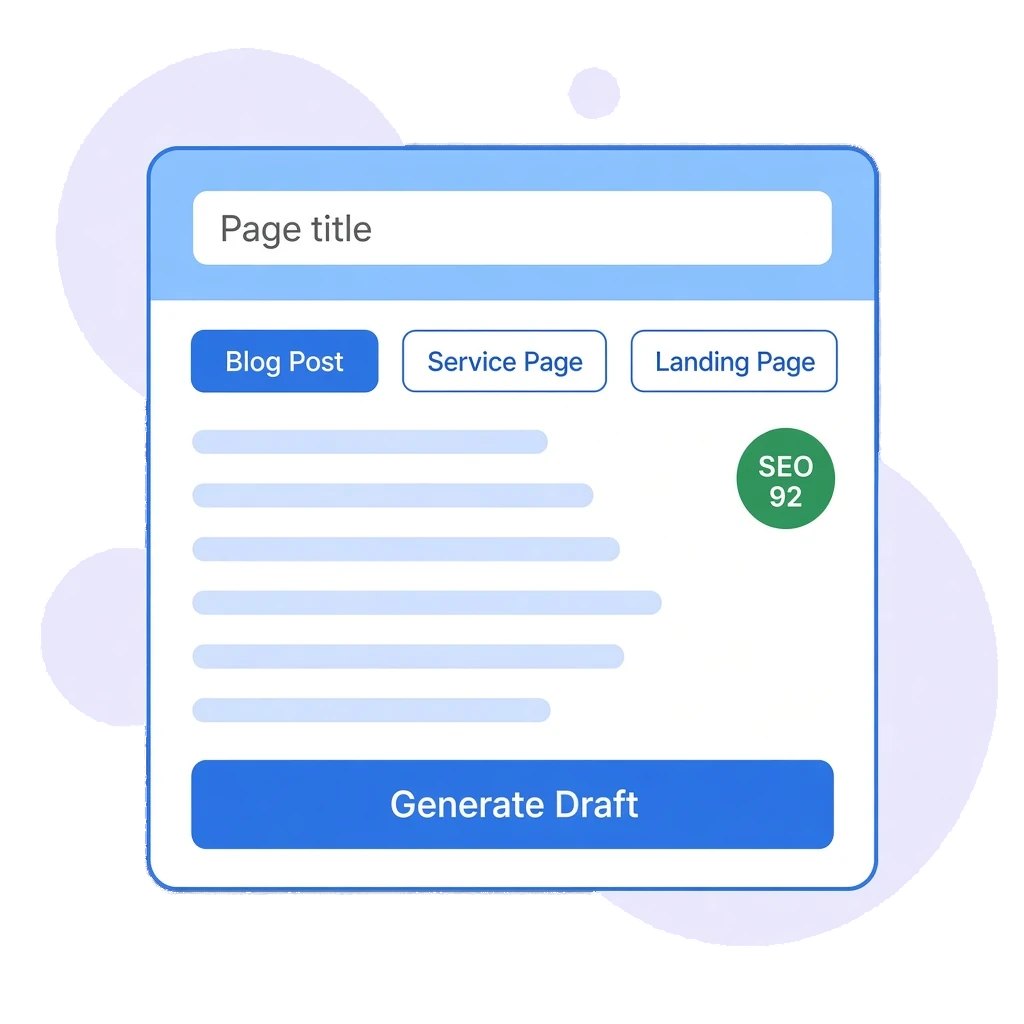
Content Development illustration showing an AI draft with templates and an SEO score
Trusted By

Write Faster WithoutLosing the SEO Brief

Generic AI prompts produce generic copy. Odyssey Advance walks your team through a guided brief, pulls in the keywords you have already researched for the client, and returns copy that is ready to edit, check and publish.

Guided Content Wizard: Pick a template, then step through topic, target keywords, tone, audience, length and images before anything is generated.

Live Keyword Research: Pull a client's saved keyword research into the brief and choose terms from a filterable mini-table.

Character-Checked Meta Tags: Generate a meta title under 60 characters and a meta description under 160, with counts shown.

Contextual AI Images: Create a banner and up to five supporting images after the copy is written, so they reflect the text.

From Brief to Publish-Readyin One Workspace

FEATURE 1: GUIDED BRIEFS & DRAFT MANAGEMENT

Structured Inputs, Consistent Output

Standardise how your team briefs content. Every writer works through the same stages, so the copy reflects the client's brand, audience and structure before the AI writes a word.

- Content Templates: Start from templates for blog posts, service pages, press releases, product content, FAQ pages, how-to guides and social posts.

- Step-by-Step Wizard: Set the topic, target keywords, tone, audience, length and image preferences, then check everything on a Review and Generate step.

- Reusable CTAs: Write a call to action once, save it as a template and insert it into future briefs.

- Organised Library: Save drafts and filter your content by Drafts, Published and Archived, with word counts on every item.
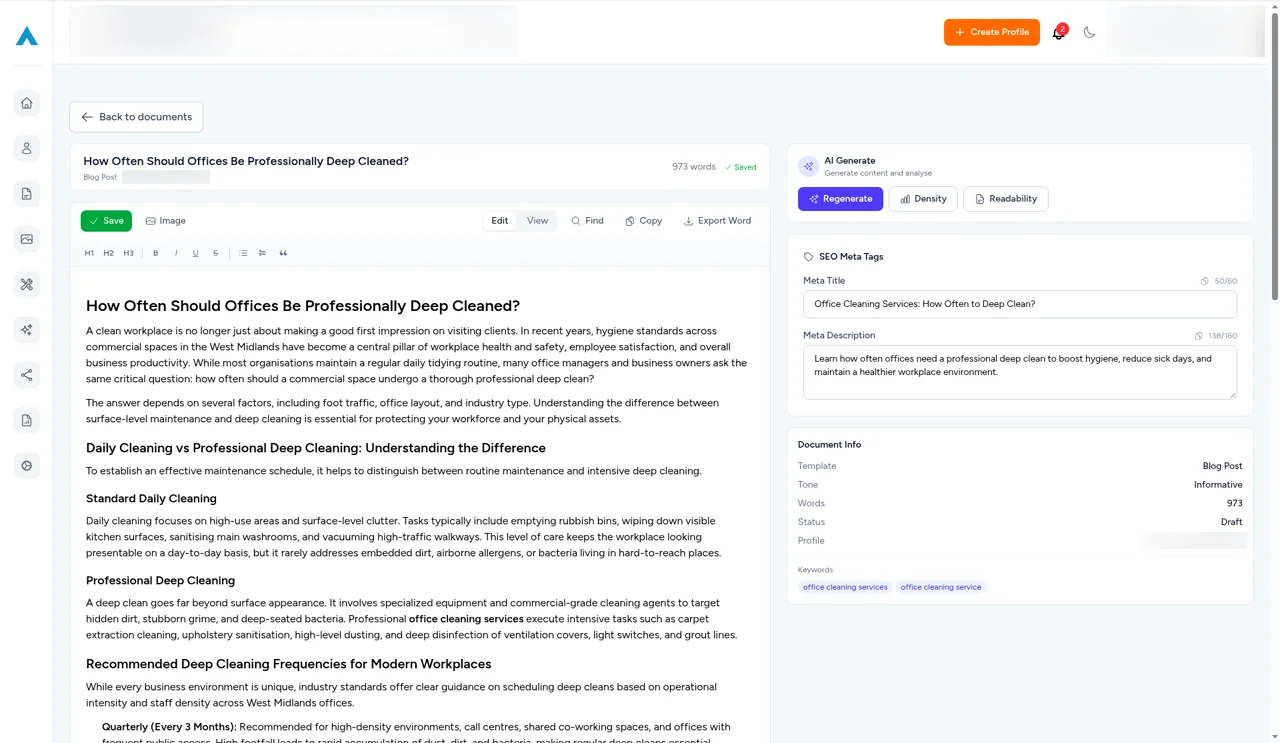
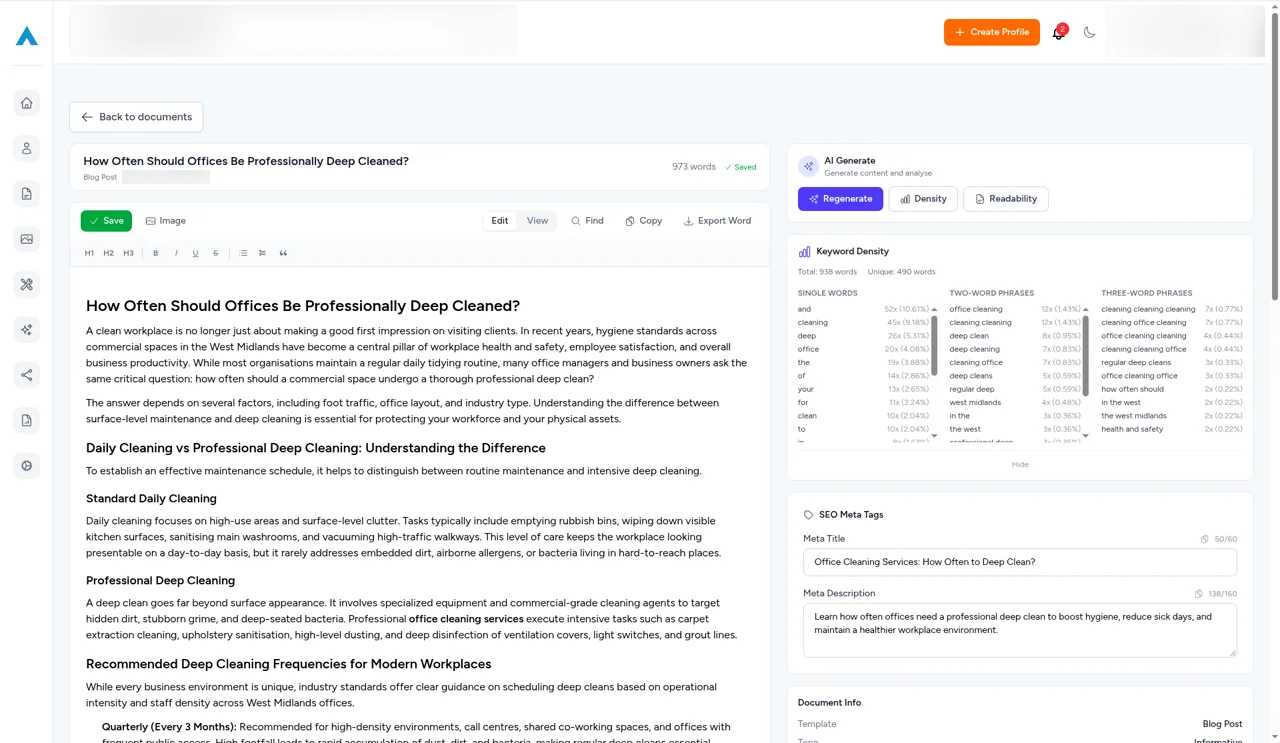
Content Development editor with a finished blog post, SEO meta title and description with character counts, and the document's target keywords
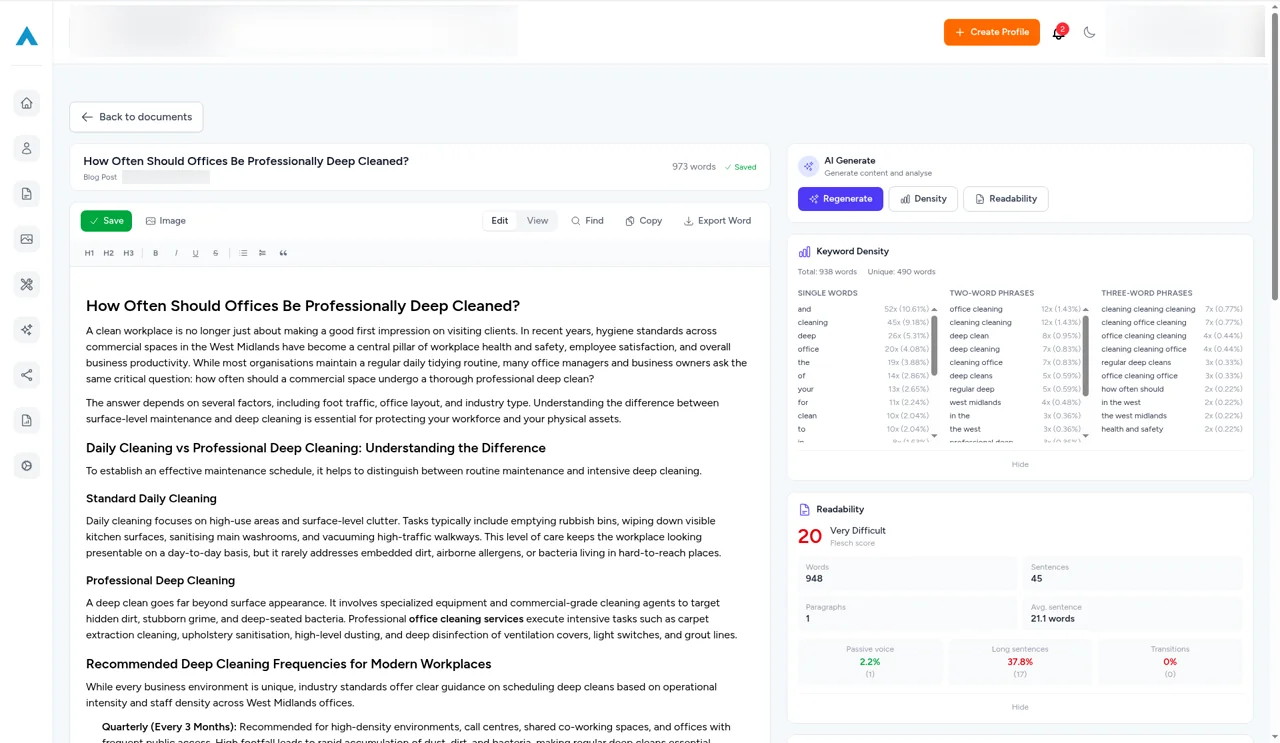
Keyword density panel beside a blog post in the Content Development editor, listing single words, two-word and three-word phrases with counts and percentages
FEATURE 2: KEYWORD RESEARCH INTEGRATION

Split-Screen Keyword Mapping

Stop switching between spreadsheets and writing tools. Link a client profile and their keyword research appears alongside the brief, so the right terms go into the draft first time.

- Live Profile Sync: Load the client's saved keyword research straight into the briefing screen.

- Integrated Mini-Table: See search volume, current ranking position and category tags next to each term.

- Smart Filtering: Search by category or phrase to find relevant terms in large keyword sets.

- Primary and Secondary Terms: Tick the keywords you want and add them to the brief in one click.
FEATURE 3: END-TO-END OUTPUT

Copy, Metadata and Visuals Together

Move from draft to your CMS with fewer handoffs. Odyssey Advance writes the copy, the meta title and description, and the supporting images in one workflow.

- Automated SEO Metadata: Meta titles under 60 characters and meta descriptions under 160, with character counts.

- Context-Aware Images: Image generation runs after the copy, so artwork reflects what the article actually says.

- Flexible Ratios: Choose a 16:9, 1:1, 9:16 or 4:3 banner, plus one to five supporting body images.

- Edit Before You Publish: Review and refine every section before the content leaves the platform.
Readability analysis in the Content Development editor showing a Flesch score, sentence and paragraph counts, passive voice, long sentences and transitions

Scale Your ContentWithout Cutting Corners

Give every writer the same structured brief, the client's live keyword data and publish-ready metadata, so content goes out faster and needs fewer rewrites.
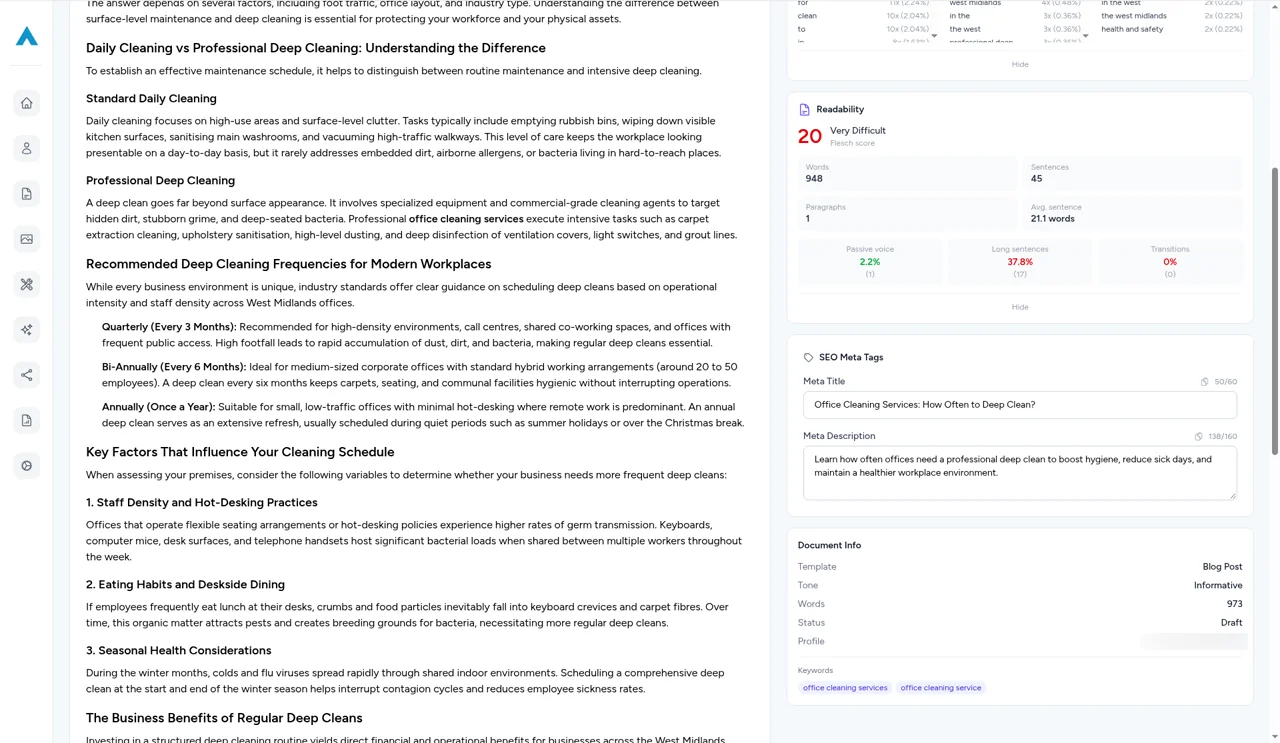
Readability score, SEO meta tags and document details including target keywords alongside a long-form blog post in the Content Development editor
Sarah Jenkins Headshot
Sarah Jenkins
Head of Marketing
Our team was constantly switching between different platforms for rank tracking, site audits, and client reporting. Having direct integrations with SERP tracking and reporting in a single dashboard has streamlined our monthly workflow significantly.
David Ross
David Ross
Managing Director
Most traditional SEO platforms are still catching up to how LLMs handle brand citations. Odyssey Advance gives us genuine insight into how our clients are cited across ChatGPT, Perplexity, and Claude. Being able to benchmark AI visibility alongside traditional Google rankings has given us a massive edge when pitching to prospective clients.
Elena Rostova
Elena Rostova
Lead Growth Marketer
When migrating our e-commerce store, we were terrified of losing organic search traffic due to indexation drops or broken redirect chains. Odyssey’s Indexation Checker and technical site auditor flagged several canonical tag mismatches before they could impact our revenue. It’s given our in-house team complete peace of mind.
Rachel Vance
Rachel Vance
Founder
As a business owner, I don't have time to wade through endless, overly complicated analytics platforms. Odyssey Advance condenses everything into clear, actionable steps. We use it to monitor local map pack rankings, find low-competition keywords, and draft our weekly blog updates. It delivers incredible return on investment.

Brief It Once.Publish It Right.

Create SEO copy, meta tags and images for every client from one workspace.

Frequently Asked Questions

Templates cover blog posts, service pages, press releases, product content, FAQ pages, how-to guides and social media posts. Each brief takes you through the topic, keywords, tone, audience, length and image settings before the copy is generated.

When you link a client profile, a split-screen panel shows that client's saved keyword research. You can filter by category or phrase, check volume and current rankings, and tick terms to add them to your brief.

Yes. Each piece includes a meta title under 60 characters and a meta description under 160 characters, with character counts so you can publish them as they are or edit them first.

Images are generated after the copy so the AI can use the text for context. You choose a banner ratio of 16:9, 1:1, 9:16 or 4:3 and between one and five supporting images.

Yes. Click Save Draft at any stage and resume it later from your drafts. Finished pieces can be filtered by Drafts, Published and Archived.

Content Development creates new copy from a brief. The Content Optimisation Tool scans pages that already exist, maps target keywords to them and scores the on-page copy so you can improve it.

Advance beyond your limitations with the all-in-one digital marketing platform.
© 2026 Odyssey Advance®. All Rights Reserved