













AI ReportBuilder

Ask for the Report You Need in Plain English

Choose a client, pick your data sources and describe the report you want. The AI Report Builder turns your request into a report, and gives you two versions to compare.
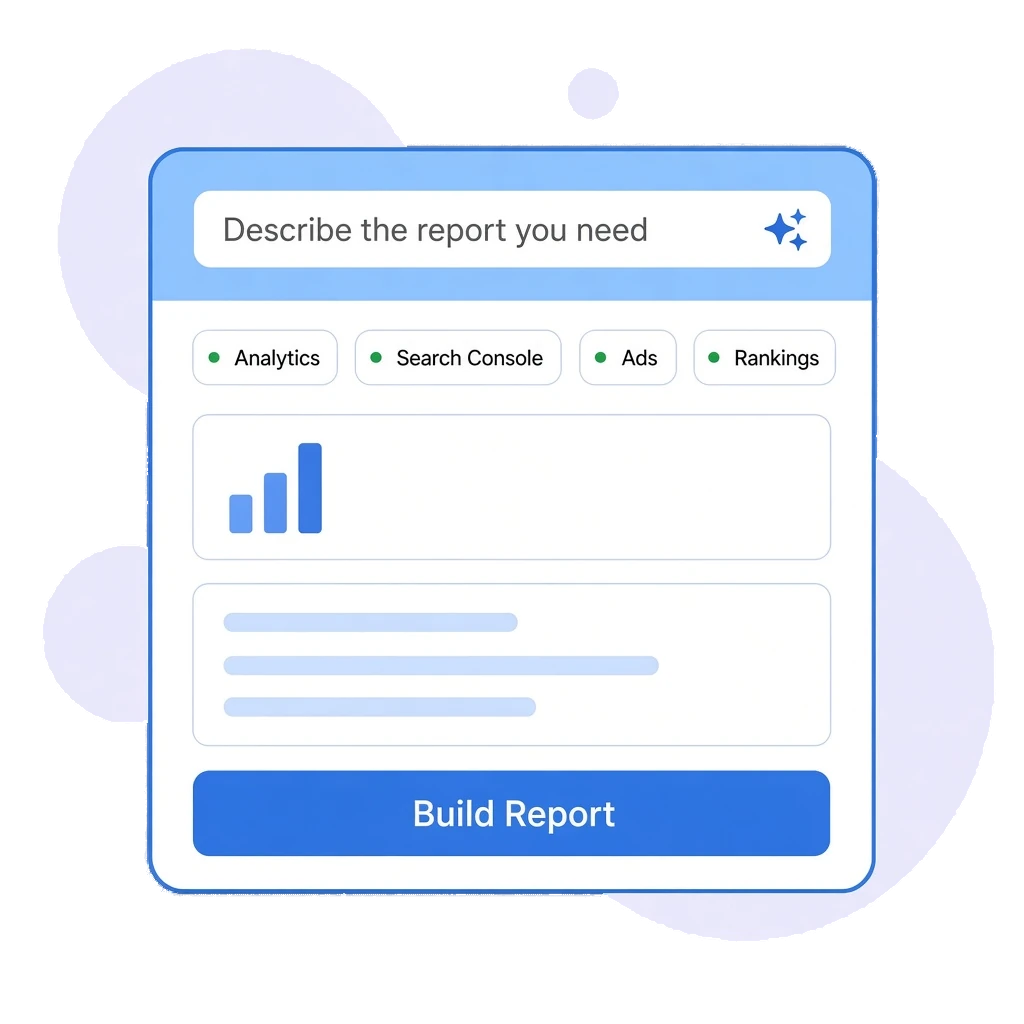
AI Report Builder illustration showing a report prompt, data connections and generated sections
Trusted By

Custom Reports WithoutBuilding Them by Hand

Not every question fits the monthly report. When a client asks how mobile traffic changed or which pages lost rankings, the AI Report Builder answers it from their connected data in minutes, without a new dashboard.

Plain-English Prompts: Type what you need, or start from a suggested prompt.

Connected Data Sources: Draw on GA4, Search Console, Google Ads and Odyssey Advance's ranking, indexation and backlink data.

Two Versions to Compare: Each request produces two versions so you can choose the clearest one.

Honest About Gaps: If a metric is not available, the builder tells you rather than guessing.

Ask a Question,Get a Report

FEATURE 1: CONVERSATIONAL REPORTING

Describe It, Don't Design It

Write your request the way a client would ask it. The builder works out which metrics, dimensions and date ranges you mean.

- Natural Language Requests: Ask for metrics such as active users, engagement rate or average session duration by device or month.

- Suggested Prompts: Start from example prompts when you are not sure what to ask.

- Client-Scoped: Every report is built for the client profile you select, using that client's connections.

- Recent Reports: Return to reports you have already built for the client.
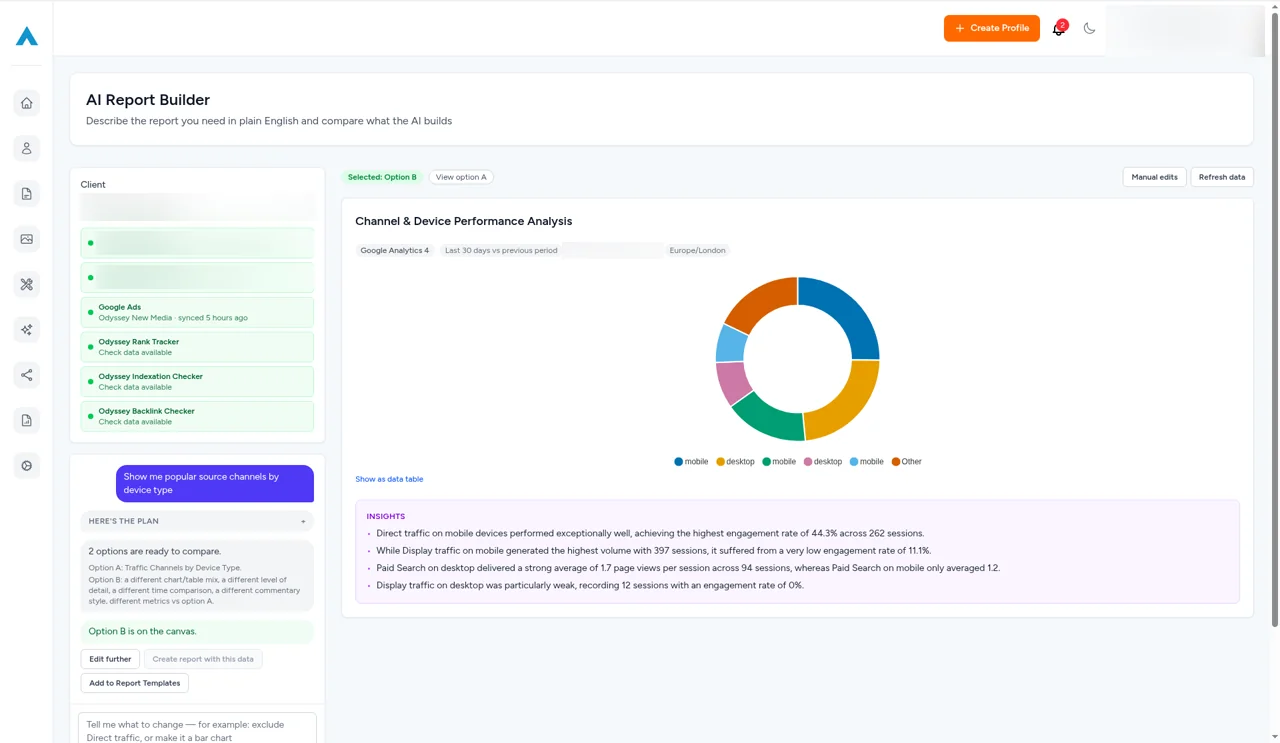
AI Report Builder in Odyssey Advance showing a channel and device performance doughnut chart with AI-written insights, built from a plain-English request
AI Report Builder connection chips showing which GA4, Search Console, Google Ads and ranking sources are connected for a client
FEATURE 2: CONNECTED DATA SOURCES

Every Source in One Request

Choose which sources the builder can use for each report, from Google's platforms to the rank, indexation and backlink data already in Odyssey Advance.

- Google Analytics 4: Traffic, users, sessions, engagement and key events.

- Search Console and Google Ads: Search performance and paid campaign data, once the client's accounts are connected.

- Odyssey Advance Data: Keyword rankings, indexation results and backlink figures.

- Clear Connection Status: See which sources are connected and connect missing ones before you build.
FEATURE 3: COMPARE & REFINE

Pick the Clearest Version

Each request returns two versions of the report, so you can compare layouts and wording and keep the one that tells the story best.

- Two Versions per Request: Compare two takes on the same question side by side.

- Transparent Limits: When a requested metric is not supported, the builder says so and names what it can report on.

- Consistent Definitions: Metrics come from a defined catalogue, so figures mean the same thing every time.

- Works with Monthly Reports: Use the builder for one-off questions and keep the monthly report for the regular cycle.
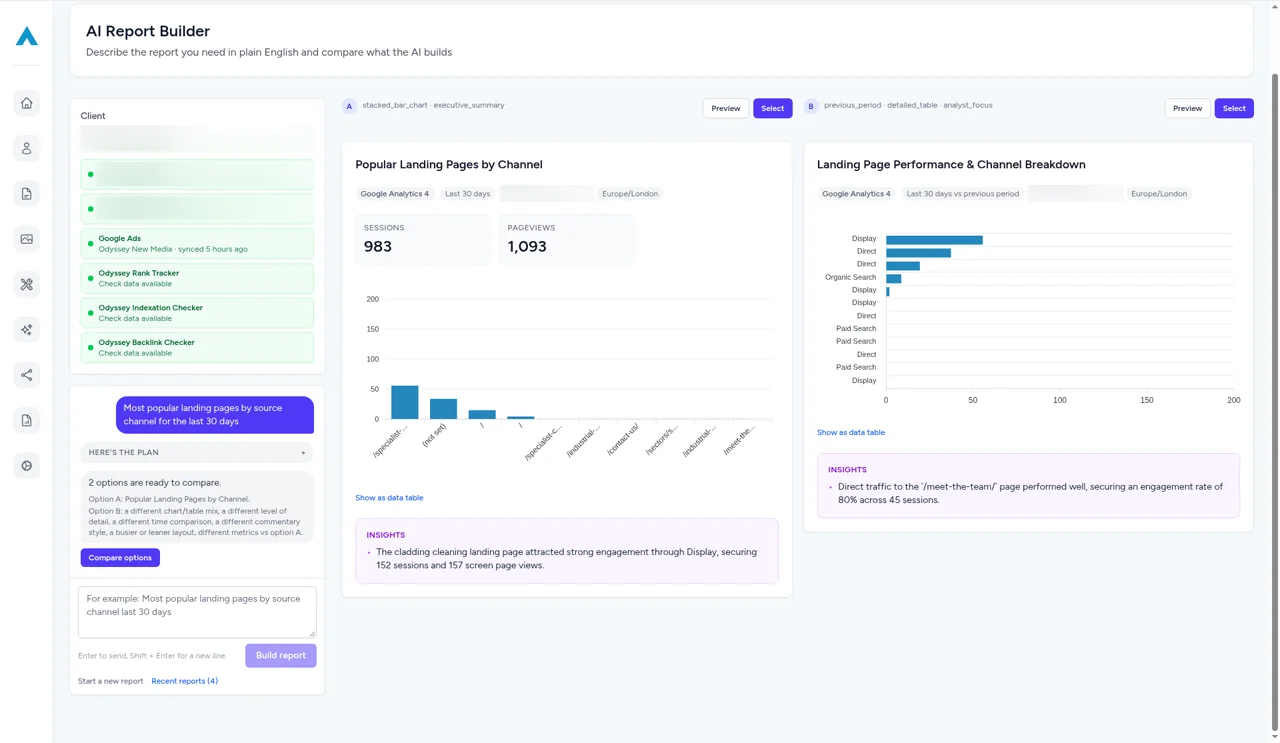
Two AI-built versions of a landing page report shown side by side, with a bar chart, session totals and insights for each option

Answer Client Questionsin Minutes

Turn ad hoc client questions into clear reports from their connected data, without exporting a single spreadsheet.
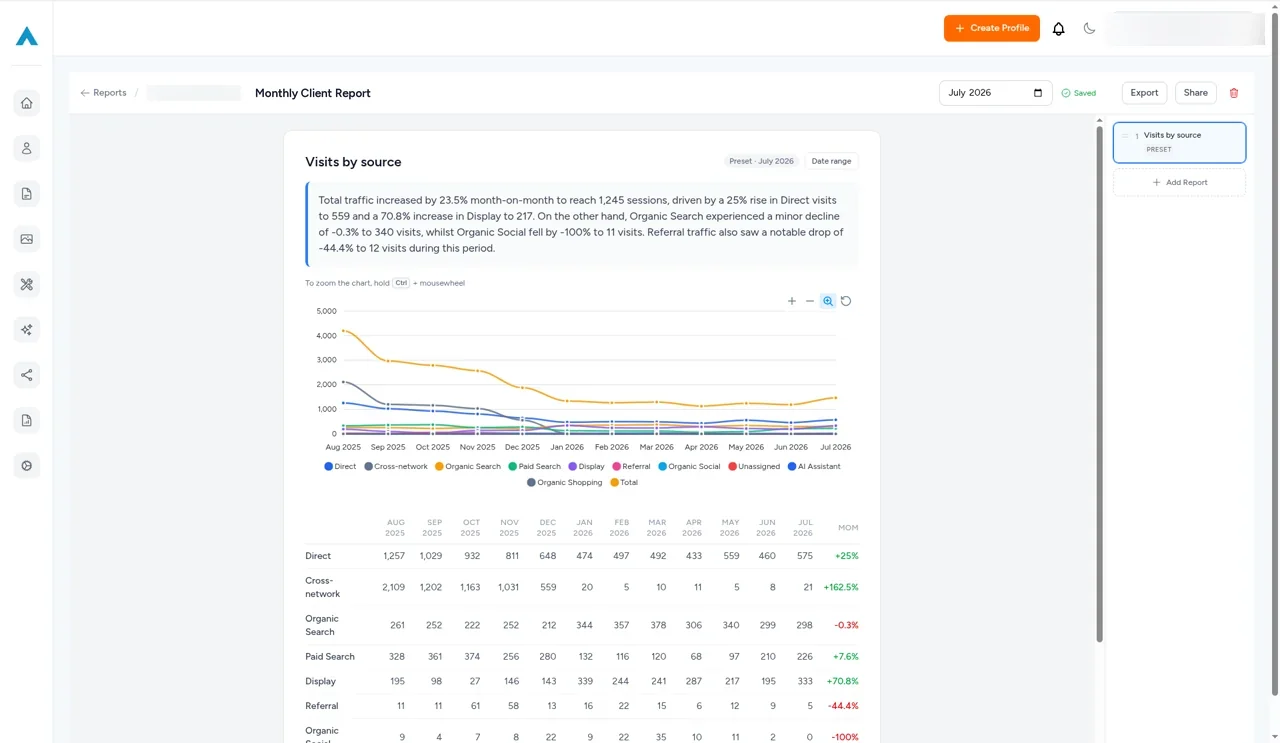
Report deck slide showing visits by source over 12 months, with an AI-written traffic summary, a multi-channel line chart and a month-on-month table for direct, organic, paid and referral traffic
Sarah Jenkins Headshot
Sarah Jenkins
Head of Marketing
Our team was constantly switching between different platforms for rank tracking, site audits, and client reporting. Having direct integrations with SERP tracking and reporting in a single dashboard has streamlined our monthly workflow significantly.
David Ross
David Ross
Managing Director
Most traditional SEO platforms are still catching up to how LLMs handle brand citations. Odyssey Advance gives us genuine insight into how our clients are cited across ChatGPT, Perplexity, and Claude. Being able to benchmark AI visibility alongside traditional Google rankings has given us a massive edge when pitching to prospective clients.
Elena Rostova
Elena Rostova
Lead Growth Marketer
When migrating our e-commerce store, we were terrified of losing organic search traffic due to indexation drops or broken redirect chains. Odyssey’s Indexation Checker and technical site auditor flagged several canonical tag mismatches before they could impact our revenue. It’s given our in-house team complete peace of mind.
Rachel Vance
Rachel Vance
Founder
As a business owner, I don't have time to wade through endless, overly complicated analytics platforms. Odyssey Advance condenses everything into clear, actionable steps. We use it to monitor local map pack rankings, find low-competition keywords, and draft our weekly blog updates. It delivers incredible return on investment.

Ask Better Questions.Get Faster Answers.

Build your first AI report today.

Frequently Asked Questions

You can ask for reports on traffic, users, sessions, engagement and key events from GA4, search and paid data from Search Console and Google Ads, and ranking, indexation and backlink data from Odyssey Advance.

Google Analytics 4, Google Search Console, Google Ads, and Odyssey Advance's own ranking, indexation and backlink data. Google sources need the client's accounts to be connected.

Each request produces two versions so you can compare them and keep the one that presents the data most clearly.

The builder tells you the metric isn't supported and lists the related metrics it can report on, rather than making up a figure.

No. You describe the report in plain English, and suggested prompts help you get started.

The monthly report is a consistent, structured report for every client each month. The AI Report Builder is for one-off questions and custom views of the same data.

Advance beyond your limitations with the all-in-one digital marketing platform.
© 2026 Odyssey Advance®. All Rights Reserved